An iPhone / iPad Pantry Management App
Current Version – 2.0
Pantry tracker & shopping list for iPhone and iPad.
Know what’s in your pantry, where it is, and what to buy next. Shop aisle by aisle with a list that knows your store.
Current version: 2.0 · Requires iOS 17 or later · Works on iPhone and iPad
Digital pantry
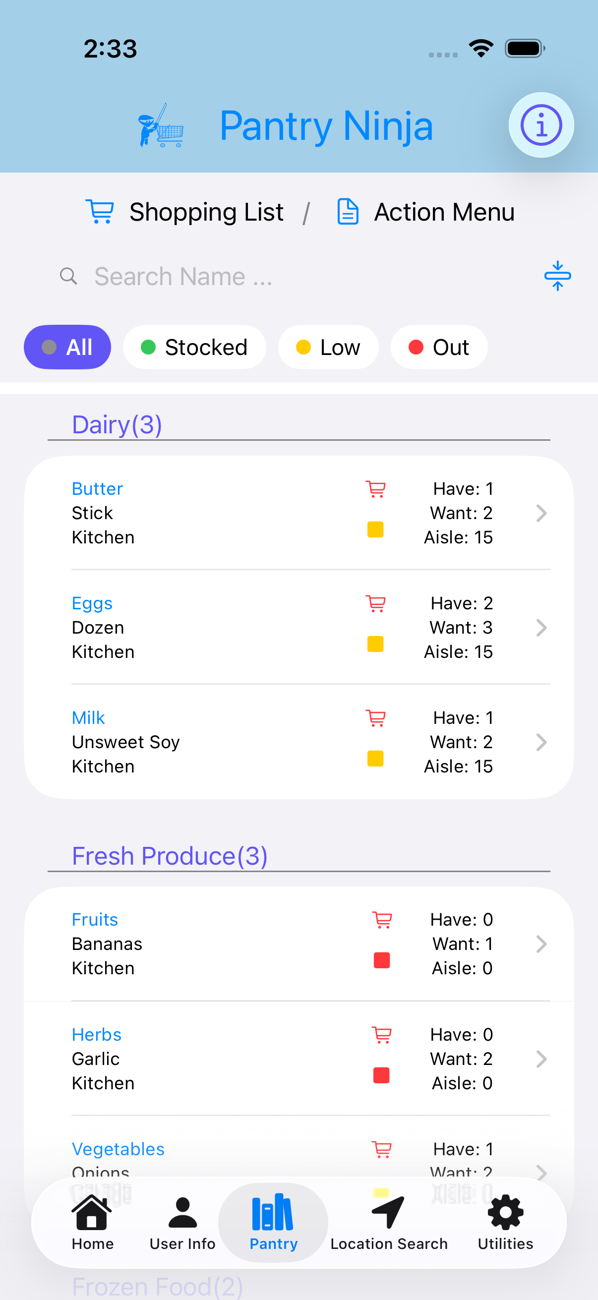
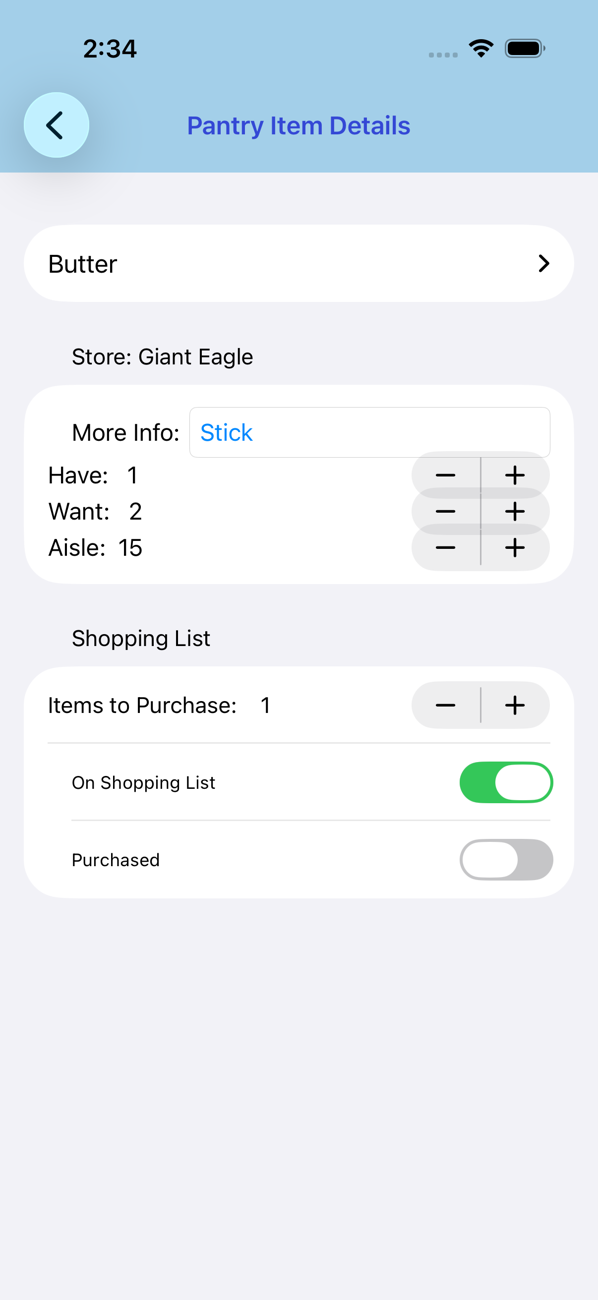
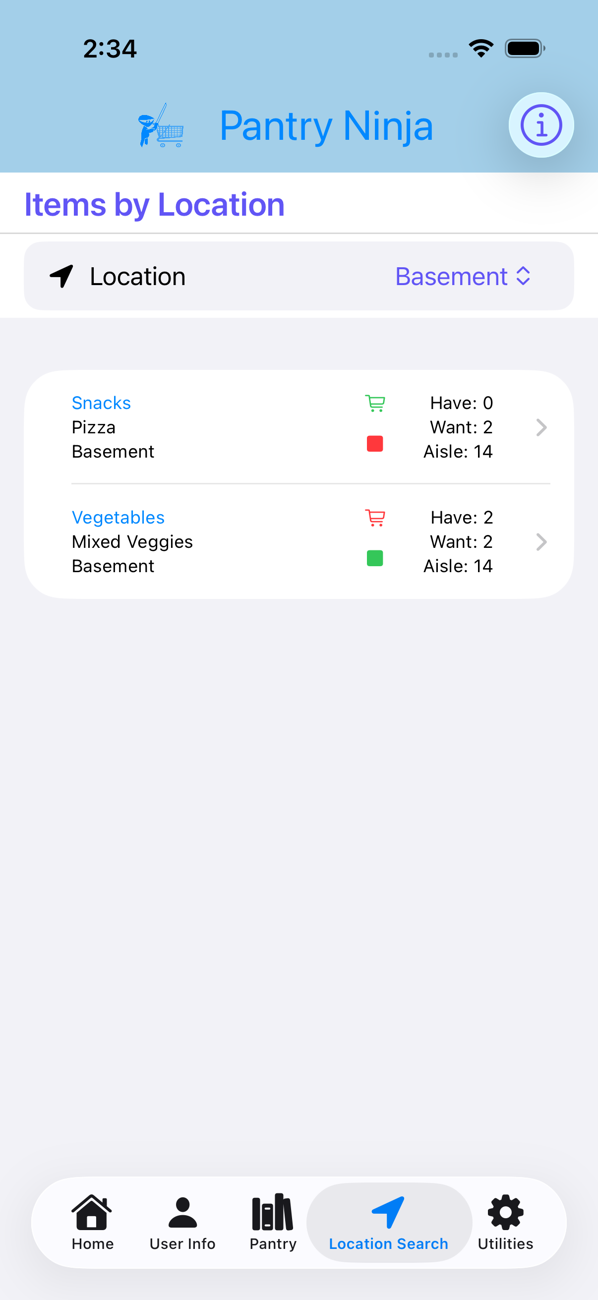
- Keep every item under a category and a storage location: kitchen, basement, garage, wherever it lives.
- Enter how many you want on hand and how many you have. Each item gets a colour code: green means stocked, yellow means getting low, red means buy now.
- Search by name, filter by need, or look up everything stored in one location.
Shopping list
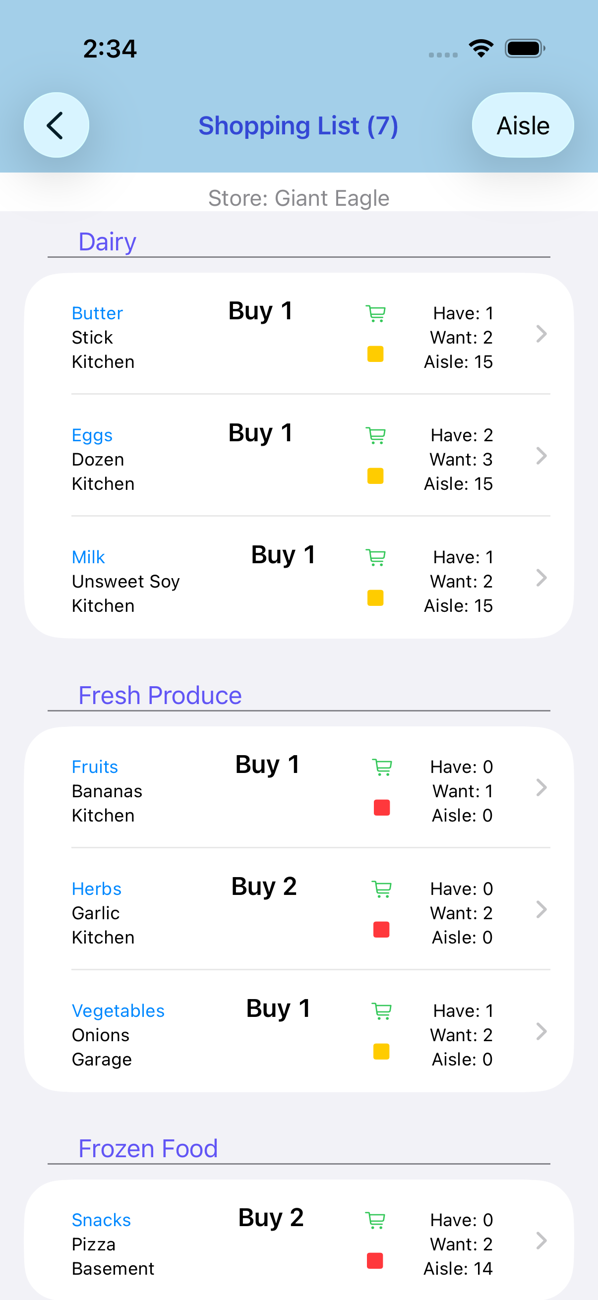
- Add everything that’s red or yellow to the list in one tap, or pick items one at a time.
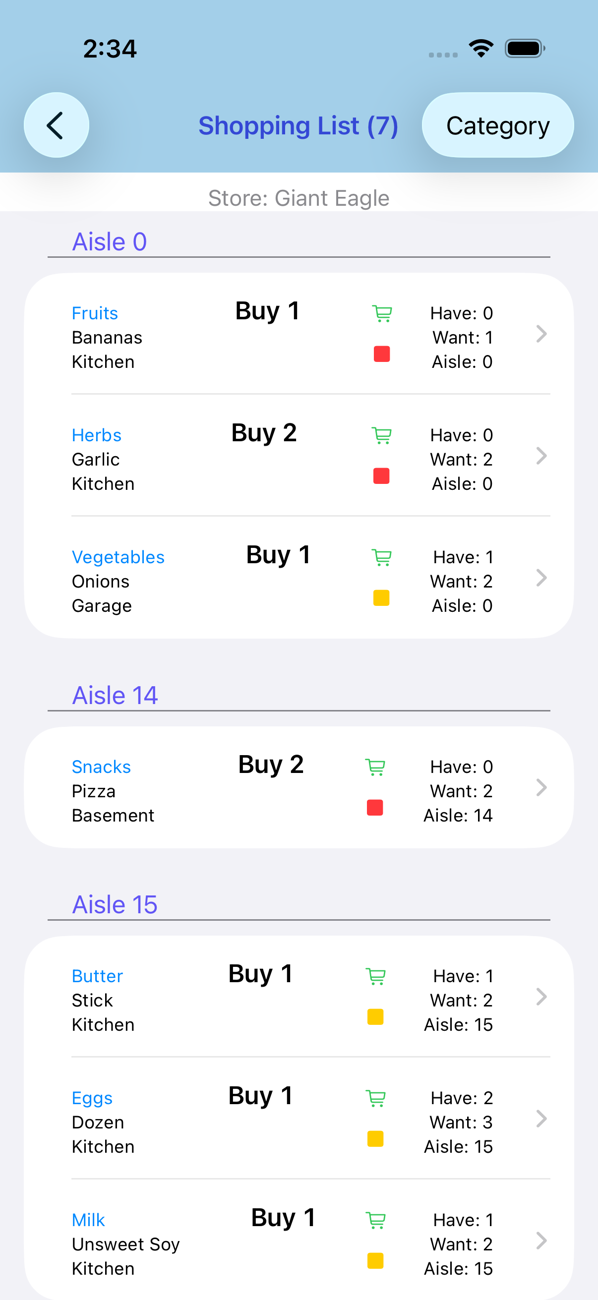
- Sort the list by category or by store aisle, so you move through the store in order instead of doubling back.
- Save a different aisle number per store. Switch stores and the list re-sorts itself.
- Swipe an item as you put it in the cart and confirm; your on-hand count updates automatically.
Made for the store
- Large text option for reading the list without your glasses.
- Haptic feedback on every button and counter.
- Works offline. Your pantry data stays on your device.
Free to use
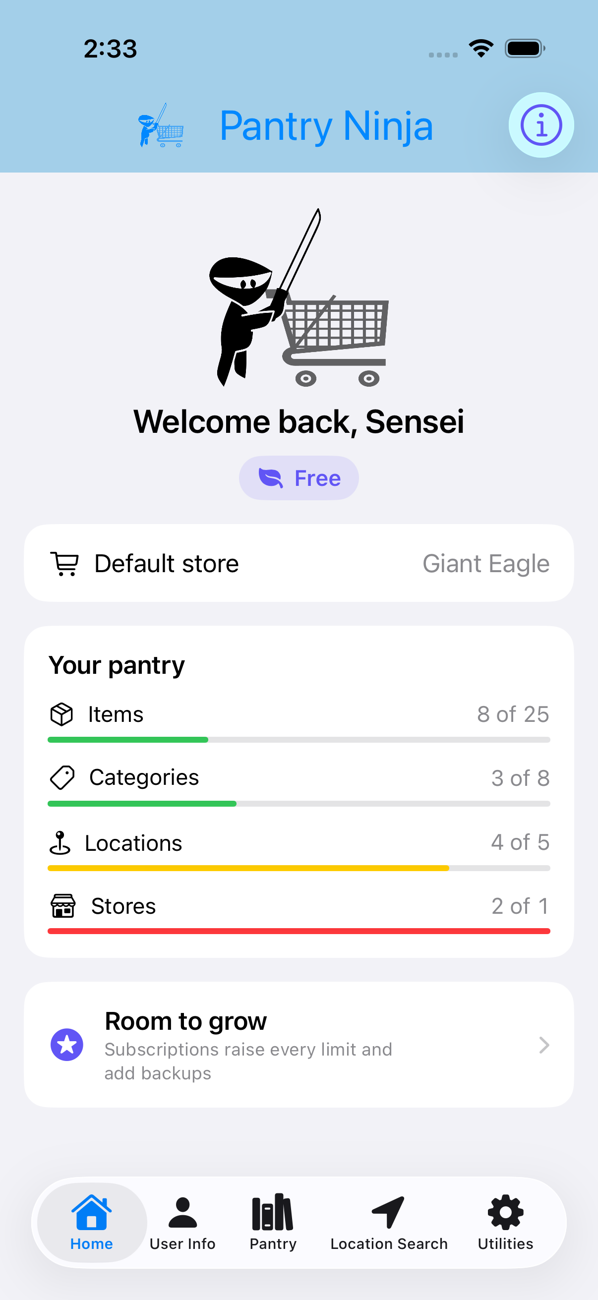
The free version includes 25 items, 8 categories, 5 locations and 1 store: enough to set up a pantry and see how it fits.
Optional subscriptions
Each level includes everything in the levels below it.
| Level | Billed | Price (US) | What you get |
|---|---|---|---|
| Bronze | Monthly | $0.99 | 50 items, 15 categories, 15 locations, 2 stores, plus purchase-date tracking on every item |
| Silver | Yearly | $14.99 | 100 items, 30 categories, 30 locations, 3 stores, plus backup and restore of your pantry data |
| Gold | Yearly | $24.99 | No caps on items, categories or locations (only your device’s storage), 5 stores, and the subscription can be shared with your Apple Family; each member keeps their own pantry on their own device |
Prices in other countries are set by the App Store in local currency. Subscriptions renew automatically unless cancelled at least 24 hours before the end of the current period. Manage or cancel any time in your Apple account settings. If a subscription lapses, your data is kept for a 21-day grace period before being trimmed to the free limits.
Screenshots